

New Release: Ideagen Quality Control Professional V9.10

Ideagen Quality Control Professional V9.10

Here's what's new in Ideagen Quality Control Professional V9.10

We've changed the login process for users who upload to Net-Inspect

In order to support the Net-Inspect secure authentication protocol, you'll now need to login using SSO. Here's how it works:

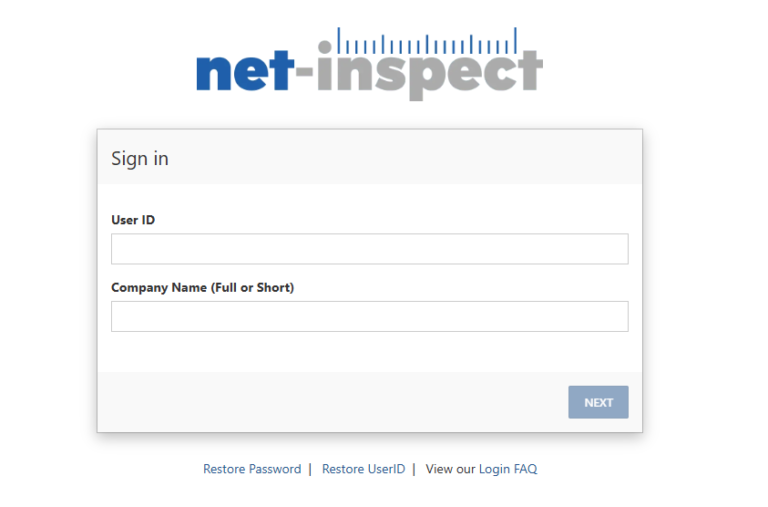
When you select the "Net-Inspect" button in Ideagen QC to upload your project, your default browser will automatically open the Net-inspect login page, where you'll need to enter your credentials:

Net-Inspect Sign In

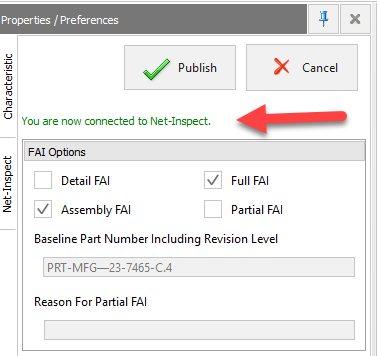
Once you enter your credentials, you'll be notified in the application that you are logged in:

Ideagen Quality Control Professional connected to Net-Inspect

You will remain logged in for a period of four hours. Once the timeout has expired, you'll need to login again.


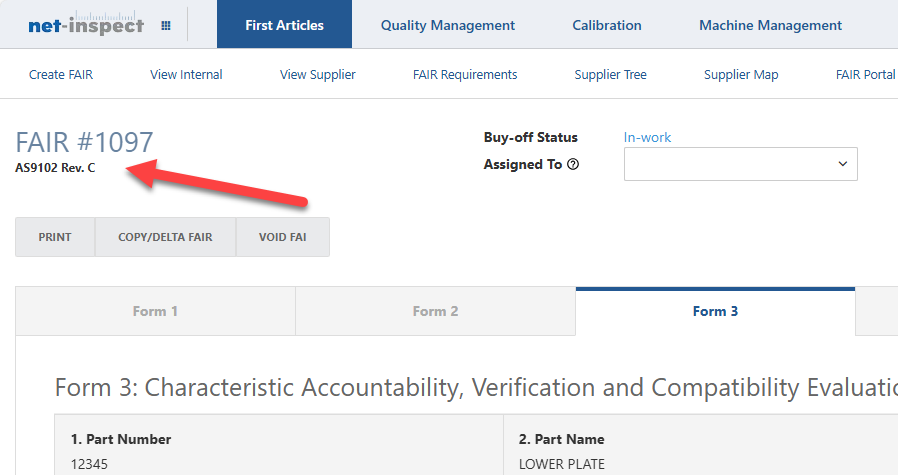
Net-Inspect uploads now fully support the AS9102 Rev C standard


When you upload your project, it will automatically be formatted using the AS9102 Rev C standard:

Net-Inspect uploads of "Other" and "User Defined" type characteristics are now supported.

Bug Fixes: 

In some cases, deleting one or more sub-characteristics caused an application crash. This has been fixed

In some cases, editing a characteristic (such as a note) that contains more than 50 characters resulted in the existing value being deleted. This has been fixed

In cases where limit dimensions displayed the smaller value first, the "Upper Limit" and "Lower Limit" fields were populating with the incorrect value. This has now been corrected.

Clicking the "Customize Quick Access" toolbar menu caused the application to crash. This has been corrected.

Performing a re-capture of a previously captured exploded multi-line note would return the un-exploded version of the note. This has been corrected so that re-capturing an exploded note returns only the exploded text.

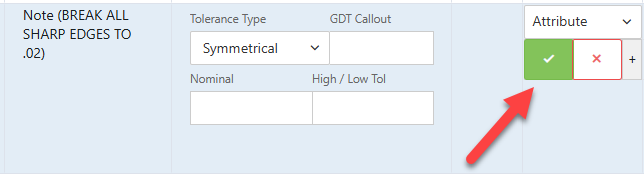
When uploading notes to Net-inspect, Notes that have been marked as "PASS" or "FAIL" in the application will now display as PASS/FAIL ( Green/Red)

Texts in Net-Inspect with pass-fail

If you have any questions, please feel free to reach out to our customer success team: [email protected]

Share post:

Facebook
Twitter
LinkedIn
Nach oben scrollen